Feature Overview
| Feature | Description |
|---|
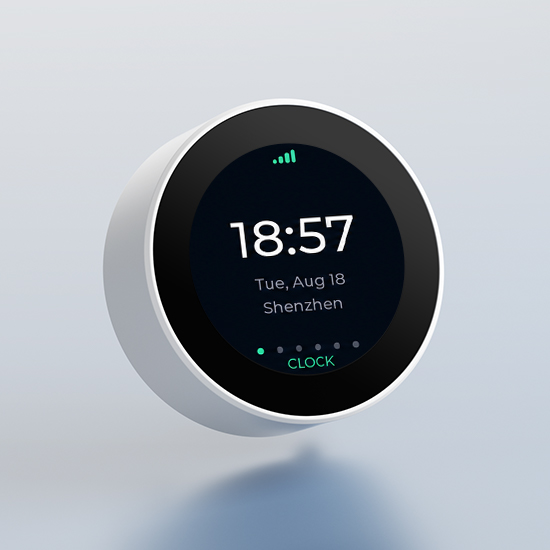
| Clock | Displays local time synchronized via SNTP. |
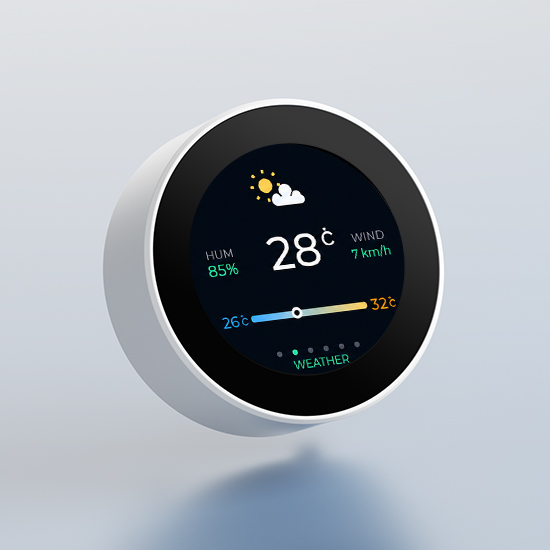
| Weather | Displays current weather and a 3‑day forecast. City search is available – no API key required. |
| Crypto | Displays real‑time spot market data for BTC, ETH, and SOL. |
| Markets | Displays Dow Jones, Nasdaq‑100, and S&P 500 ETF data. Requires a personal Finnhub API key. |
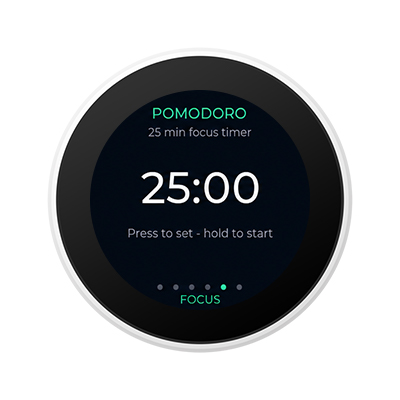
| Focus Timer | Provides Pomodoro and countdown timer modes. Default 25 minutes, adjustable from 1 to 120 minutes. |
| Rotary Interaction | Rotate the encoder to switch between function pages and menus. Short‑press to confirm, long‑press for page actions. |
| Local Configuration | Configure Wi‑Fi, city, and Finnhub API settings via the device‑hosted local web interface. |
| Local Data Storage | Wi‑Fi credentials and personal Finnhub API key are stored locally on the device – never uploaded to cloud or logs. |
Operating Instructions
| Control | Description |
|---|
| Rotate | Navigate between function pages or menu options. |
| Short press | Enter, confirm, or acknowledge a timer reminder. |
| Long press | Return to the previous level or perform the page‑specific secondary action. |
| Hold BOOT for 3 seconds | Restore factory settings. |
Note: Restoring factory settings will clear Wi‑Fi credentials, city, time zone, Finnhub API Key, user preferences, and cached data.
Quick Start
Preparation
- 1 × OpenNextion ESP32-S3 1.28" smart display
- 1 × USB data cable
- 1 × Smartphone
- 2.4 GHz WiFi
Before starting, ensure the USB cable supports data transfer and maintain a stable connection between the board and your computer.
Flashing the Firmware
- Click Flash Online at the top of the page.
- Select the OpenNextion device model you are using.
- Choose the corresponding serial port when prompted in the browser.
- Wait for erasing, writing, and verification to complete. Do not unplug the USB cable during this process.
After successful flashing, the board will automatically restart.
WiFi Provisioning
- Start or reset – Power on the device, or hold BOOT for 3 seconds to restore factory defaults.
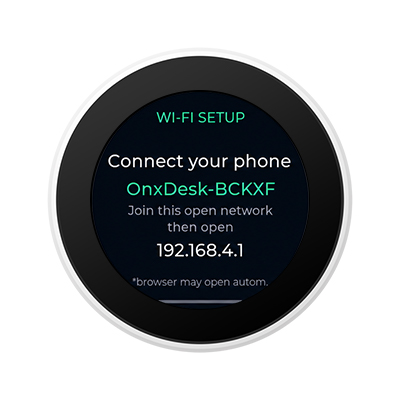
- Connect to hotspot – The screen shows the hotspot SSID (e.g.,
OnxDesk-ABCDE, no password).
- Configure Wi‑Fi – If the config page doesn't open automatically, go to
http://192.168.4.1 in your browser. Enter your 2.4G Wi‑Fi SSID and password.
- Reconnect – After the device joins your Wi‑Fi, reconnect your phone to the same network.
Note: The last 5 characters of the hotspot SSID are device‑specific, so each unit can be identified separately.
Setting Up a City
After OnxDesk connects to WiFi:
-
Connect your phone to the same WiFi network as OnxDesk.
-
Scan the QR code displayed on the device or open the local settings address.
-
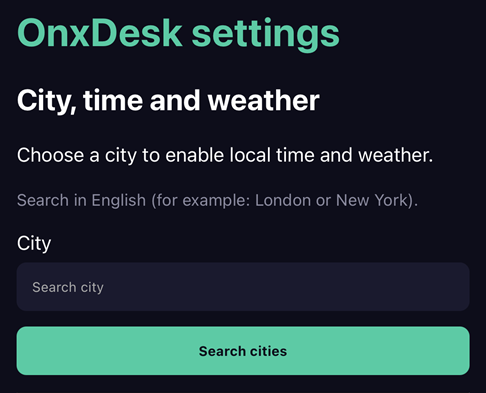
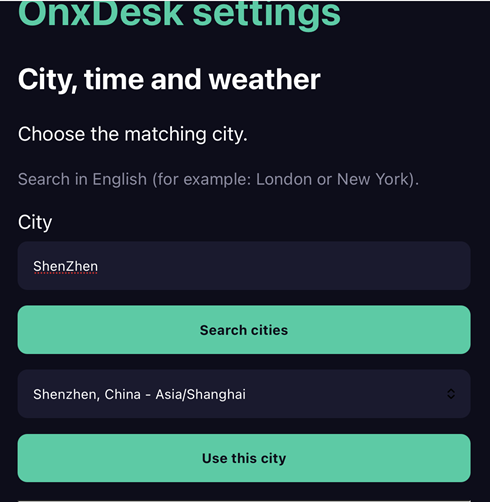
Go to Settings → City.
-
Search for and select a city.
-
Save the city.
OnxDesk will then synchronize local time and weather data and open the Clock screen.
*City search requires network access.
Enabling Market Data
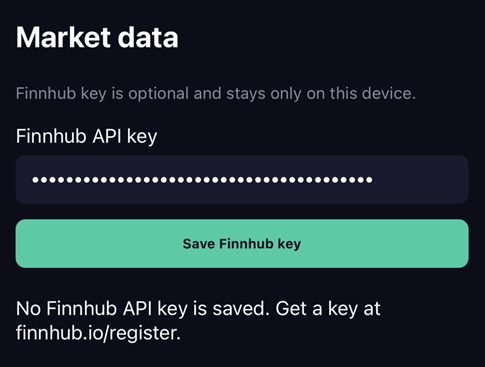
The Markets feature requires a personal Finnhub API key.
-
Register with Finnhub** **and obtain an API key.
-
Keep the API key ready on the phone used for OnxDesk configuration.
-
On the device, open: Settings → Finnhub Key
-
Confirm that the phone and OnxDesk are connected to the same WiFi network.
-
Short-press the encoder to display the setup QR code.
-
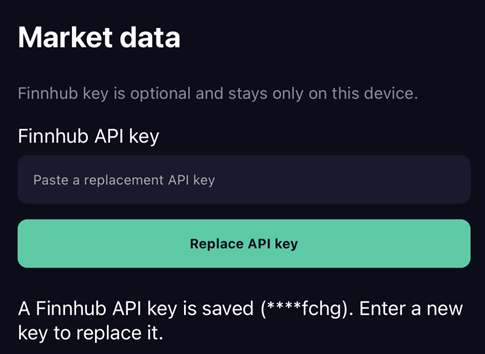
Open the local configuration page on your phone and save the Finnhub API key.
Note: The API key is stored in the device's NVS and isn't printed to logs.
Treat the Finnhub API key as a private credential. Do not publish it in issues, logs, or public screenshots.
Weather
Short-press the encoder on the Weather channel to switch between:
- Current weather conditions
- Three-day forecast
The temperature range displays the daily low and high, with the current temperature marked on the range bar.
Focus Timer
OnxDesk includes a built-in Pomodoro focus timer.
- The default Focus duration is 25 minutes.
- Short-press Focus to enter time adjustment.
- Rotate the encoder to adjust the duration.
- From 5–120 minutes, the adjustment step is 5 minutes.
- From 1–5 minutes, the adjustment step is 1 minute.
- Short-press to confirm the duration.
- Long-press to start or pause the timer.
- When paused, short-press to resume or long-press to cancel and restore the selected duration.
**Note: **A small progress ring remains visible on other top-level pages while the timer is running. When the timer reaches zero, OnxDesk automatically opens the Focus page and starts the reminder sequence.
Local Settings
The OnxDesk local settings center remains accessible while the device is powered on and connected to WiFi.
- Connect your phone to the same WiFi network as OnxDesk.
- Open the local settings address displayed on the screen or scan the on-screen QR code.
- Update the City or Finnhub API key.